DMX / DALI / DMX Interface 4x is an advanced converter that allows to connect lighting installations
based on the DALI protocol with DMX control systems. Using the PX758, you can connect to the DMX controller receiving devices working in the DALI protocol. The PX758 module also allows you
to convert the signal from DALI input devices (sensors / buttons) into a DMX signal.
According to the DALI standard, up to 64 receiving devices (ballasts) and 64 input devices may be connected to one DALI bus. The PX758 module is equipped with one DMX input line, one DMX output line and four DALI lines, which allow you to connect a total of up to 256 ballasts and 256 input devices.
Managing the PX758 settings is possible using the buttons and the screen on the casing or using the
Web Server built into the device.
Changing the settings includes:
searching and addressing DALI devices,
changing parameters of input devices,
change of ballast parameters (e.g.: brightness, address, “fade time”, “fade rate”, etc.),
configuration of the conversion of the DMX signal to DALI ballasts and the signal from the DALI input devices to the DMX signal,
changing the module network settings,
software update.
DMX / DALI / DMX Interface 4x has been placed in a housing adapted for mounting on a 35mm DIN rail
and is supplied with 12 – 24V DC safe voltage. Please note that the DALI line must have external power
supply.
DMX / DALI / DMX Interface 4x is an advanced converter that allows to connect lighting installations
based on the DALI protocol with DMX control systems. Using the PX758, you can connect to the DMX controller receiving devices working in the DALI protocol. The PX758 module also allows you
to convert the signal from DALI input devices (sensors / buttons) into a DMX signal.
According to the DALI standard, up to 64 receiving devices (ballasts) and 64 input devices may be connected to one DALI bus. The PX758 module is equipped with one DMX input line, one DMX output line and four DALI lines, which allow you to connect a total of up to 256 ballasts and 256 input devices.
Managing the PX758 settings is possible using the buttons and the screen on the casing or using the
Web Server built into the device.
Changing the settings includes:
searching and addressing DALI devices,
changing parameters of input devices,
change of ballast parameters (e.g.: brightness, address, “fade time”, “fade rate”, etc.),
configuration of the conversion of the DMX signal to DALI ballasts and the signal from the DALI input devices to the DMX signal,
changing the module network settings,
software update.
DMX / DALI / DMX Interface 4x has been placed in a housing adapted for mounting on a 35mm DIN rail
and is supplied with 12 – 24V DC safe voltage. Please note that the DALI line must have external power
supply.

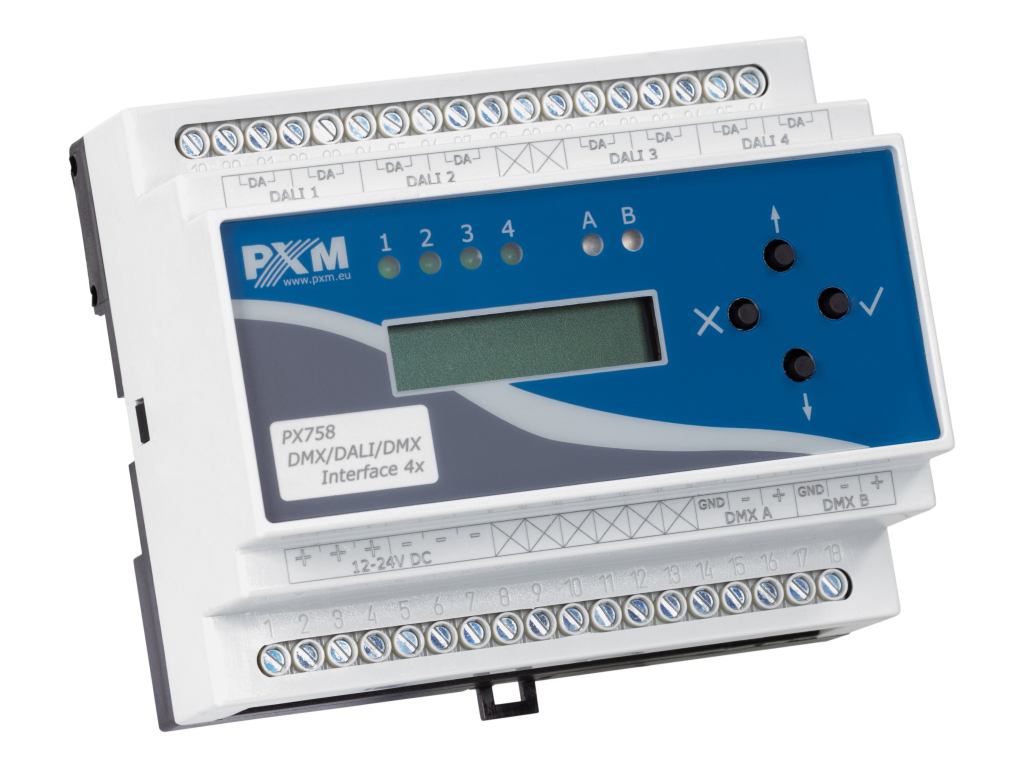 Image 1 of 1